
8 Best Chrome Extensions to Customize Websites (2026)
The best Chrome extension to customize websites depends on what you want to change. For point-and-click changes of any kind (hiding, colors, fonts, notes) saved per site, Pagic is the all-in-one pick; for writing your own CSS, Stylus; for dark mode only, Dark Reader; for scripts, Tampermonkey. Below are eight I'd actually recommend, what each is best at, and where each falls short.
Full disclosure: I make Pagic, one of the eight. I've tried to be fair, and I'll say where another tool is the better choice.
How I picked these
I looked for extensions that change how a site looks or reads for you, on the sites you choose, and that keep the change on your next visit. I left out anything that hasn't been updated in the last year and anything with a reputation for selling browsing data. For each one I noted:
- What it changes: hide, colors, fonts, layout, notes, or code.
- Point-and-click or code: can a non-developer use it?
- Does it remember: is the change still there tomorrow?
- Scope: one site, some sites, or every site.
The comparison at a glance
| Extension | Best for | Hide elements | Colors / dark | Fonts | Notes / highlights | Needs code |
|---|---|---|---|---|---|---|
| Pagic | All-in-one, per site | Yes | Yes | Yes | Yes | No |
| Stylus | Your own CSS | Via CSS | Via CSS | Via CSS | No | Yes |
| Dark Reader | Dark mode everywhere | No | Dark only | Yes | No | No |
| uBlock Origin Lite | Blocking ads | Temporary zapper | No | No | No | No |
| Tampermonkey | Changing behavior | Via scripts | Via scripts | Via scripts | Via scripts | Yes |
| Unhook | A calmer YouTube | YouTube only | No | No | No | No |
| NewsFeed Eradicator | Removing social feeds | Feeds only | No | No | No | No |
| Web Highlights | Saving highlights | No | No | No | Yes | No |
1. Pagic
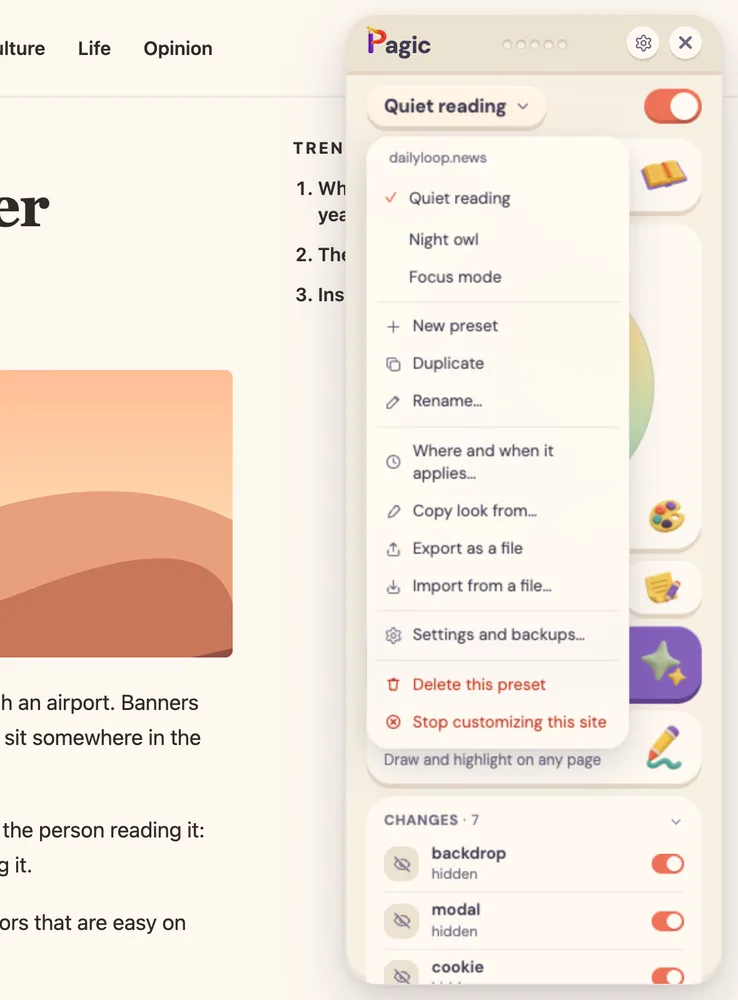
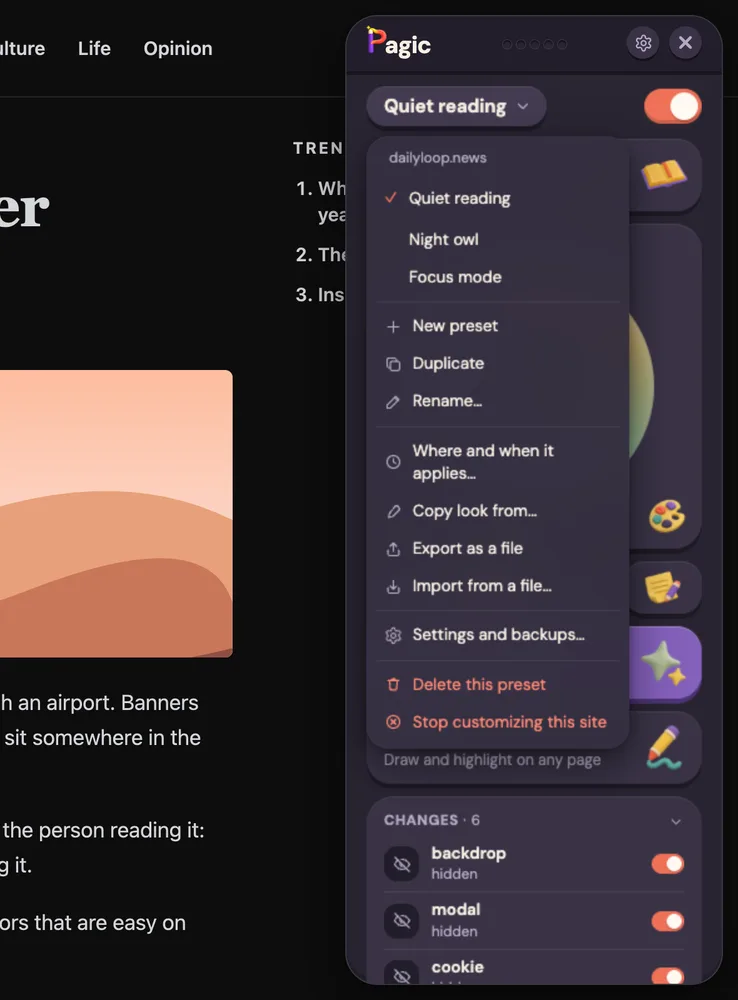
Best all-in-one: change anything you can point at, and keep it. Pagic opens a floating panel on the page. Click Edit page and click anything to hide, move, resize, restyle or rewrite it. A two-dot color pad recolors the page, the moon adds dark mode (photos keep their real colors), and Aa changes the font and spacing. Markup adds highlights, sticky notes and drawings that are still there next visit, and Reader turns articles into clean pages.
It's also the closest thing to Arc's Boosts in Chrome, which matters right now: Arc stops working on December 22, 2026, and its Boosts don't move to Dia. I wrote a separate Arc Boosts alternative guide.
Limits: no custom JavaScript (on purpose), and browser pages like the New Tab page can't be changed. Price: free for one site at a time with every tool, and Reader is free everywhere. Pro covers every site and adds presets.
2. Stylus
Best if you write CSS. Stylus is a free, open-source manager for user styles: CSS that's applied to the sites you choose. You can write your own or install styles other people published for popular sites. It's been maintained for years and has over a million users on the Chrome Web Store.
Limits: everything is code. There's no clicking on a page to hide something. Price: free.
3. Dark Reader
Best for dark mode on every site. Dark Reader generates a dark theme for any website, with brightness, contrast and sepia sliders, and you can turn it on for every site or only some. It's open source and probably the most popular extension of its kind.
Limits: it's built for dark mode. If you also want to hide parts of a page or recolor a site to something other than dark, you'll need another tool. More options in how to get dark mode on any website. Price: free.
4. uBlock Origin Lite
Best for blocking ads, with a quick zapper on the side. Since Chrome dropped support for the original uBlock Origin, the Lite version is the one that runs in Chrome. It blocks ads and trackers before they load, which no customization tool does. Its element zapper removes something from the page you're on, until you reload.
Limits: the zapper isn't remembered between visits, and there's no styling. They work well together: an ad blocker stops ads from loading, and a customization tool fixes everything else. Price: free.
5. Tampermonkey
Best for changing how a site behaves, not just how it looks. Tampermonkey runs userscripts: small JavaScript programs that can add buttons, auto-expand comments, or rewrite a page. There's a large library of scripts people have shared.
Limits: you need to write or trust the code, and a script can do anything on the page, so only install ones you've read or that come from a source you trust. Price: free.
6. Unhook
Best for a calmer YouTube with switches. Unhook hides YouTube's recommendations, Shorts, comments, the related sidebar and more, each with its own switch. If YouTube is the only site you want to fix, it's simple and does the job.
Limits: YouTube only. My guide on hiding YouTube Shorts shows the click-to-hide way if you want the same on other sites. Price: free.
7. NewsFeed Eradicator
Best for removing social feeds in one switch. It replaces the feed on several social sites with a quiet page, while messages, search and profiles keep working. Good for people who keep opening LinkedIn or Facebook out of habit.
Limits: it removes the feed, and that's it. Price: free.
8. Web Highlights
Best for collecting highlights across many pages. Web Highlights saves what you highlight on web pages and PDFs into a library you can search and export, which is great for research.
Limits: it's about collecting quotes, not changing the page. Pagic's highlights stay on the page itself instead. Price: free to start.
Which one should you pick?
- You want to fix the sites you use every day, and you don't write code: Pagic.
- You write CSS, or want styles other people made: Stylus.
- You want everything dark, and that's all: Dark Reader.
- You want no ads: uBlock Origin Lite (and keep it alongside whatever else you pick).
- You want a site to behave differently: Tampermonkey.
- Only YouTube, or only social feeds: Unhook or NewsFeed Eradicator.
Most people end up with an ad blocker plus one customization tool. Running five single-purpose extensions works too, but each one asks for access to your sites, and that adds up.
Frequently asked questions
What is the best extension to change how a website looks? For point-and-click changes of every kind, saved per site, Pagic. If you write CSS, Stylus. For dark mode alone, Dark Reader. Is there an Arc Boosts extension for Chrome? Not from Arc. Pagic covers the same four things Boosts did (colors, fonts, zapping elements and custom CSS) per site in Chrome, except custom JavaScript. Do these extensions change the website for everyone? No. They change the page only in your browser. The site and what others see stay the same. Are website customization extensions safe? Check what access each asks for and who makes it. Prefer ones that ask per site, don't need an account, and store your changes locally, like Pagic, Stylus and Dark Reader. Can I use several of these together? Yes. An ad blocker plus one customization tool is the most common setup. Avoid two tools that both recolor the same site, since their changes stack.