
Arc Boosts Alternative: Keep Your Boosts After Arc Shuts Down
The closest Arc Boosts alternative for Chrome is an extension that does per-site colors, fonts, hiding ("zaps") and custom CSS in one place, and saves it for every visit. That's what I built Pagic to do. Arc stops working on December 22, 2026, and Dia doesn't import Boosts, so the time to move them is now. Here's how, step by step, and what else is out there.
What's happening to Arc and its Boosts?
The Browser Company announced in October 2026 that Arc is being shut down. New Arc accounts can't be created anymore, and the desktop apps on macOS and Windows stop working on December 22, 2026, according to their announcement coverage on AlternativeTo. Arc users are pointed to Dia, which can import bookmarks, passwords, history, extensions and spaces.
Boosts are the part that doesn't come along. Dia has no Boosts feature, and Boosts aren't part of Dia's import. If you spent years tuning the sites you use every day, that work stays in Arc unless you move it yourself.
What did Arc Boosts actually do?
Arc Boosts changed how a website looked for you, every time you opened it. A Boost could do four things:
- Colors: tint a whole site to a color you picked, or flip it dark.
- Fonts: swap the site's font for another one.
- Zap: click an element (a sidebar, a banner, the comments) and it was gone for good.
- Code: write your own CSS and JavaScript for the site.
So a replacement needs all four, per site, remembered between visits. Most Chrome extensions do one of these. A dark mode extension does colors, an ad blocker's element picker does zaps, Stylus does CSS. Arc's trick was having them in one small panel, so you actually used it.
The best Arc Boosts alternatives in 2026
| Option | Colors | Fonts | Zap (hide) | Custom CSS | Custom JS | Browser |
|---|---|---|---|---|---|---|
| Pagic | Yes, tint + accent + dark mode | Yes, any installed font | Yes, click to hide, or all like it | Yes | No | Chrome, Edge, Brave, Dia, other Chromium |
| Zen Browser Boosts | Yes | Yes | Yes (zap) | Yes | No | Zen only (Firefox-based) |
| Stylus | Only by writing CSS | Only by writing CSS | Only by writing CSS | Yes | No | Chrome, Firefox |
| Tampermonkey / Violentmonkey | By writing code | By writing code | By writing code | Via scripts | Yes | Chrome, Firefox |
| Dark Reader | Dark mode only | Font override | No | Dev tools only | No | Chrome, Firefox, Safari |
Pagic: the closest match for Chrome
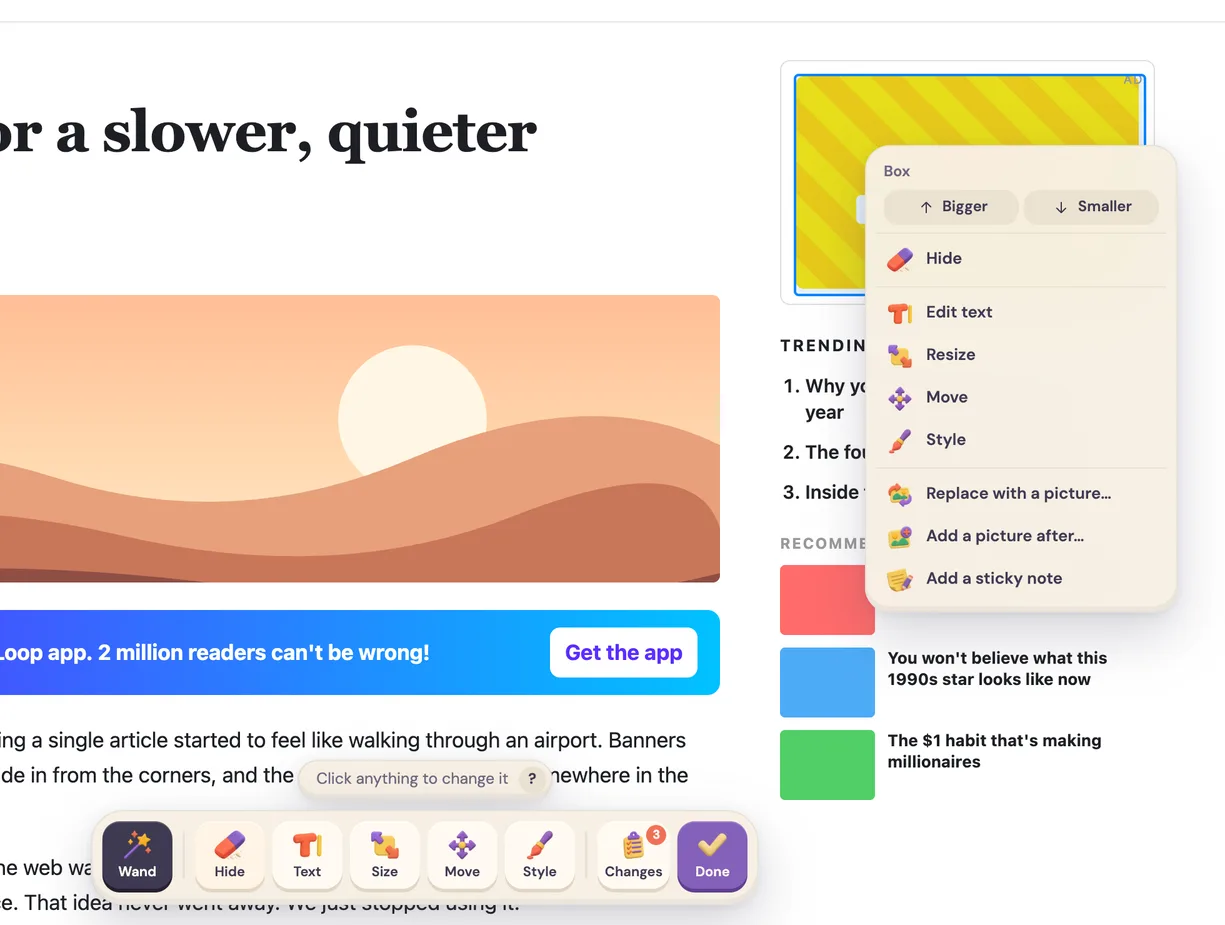
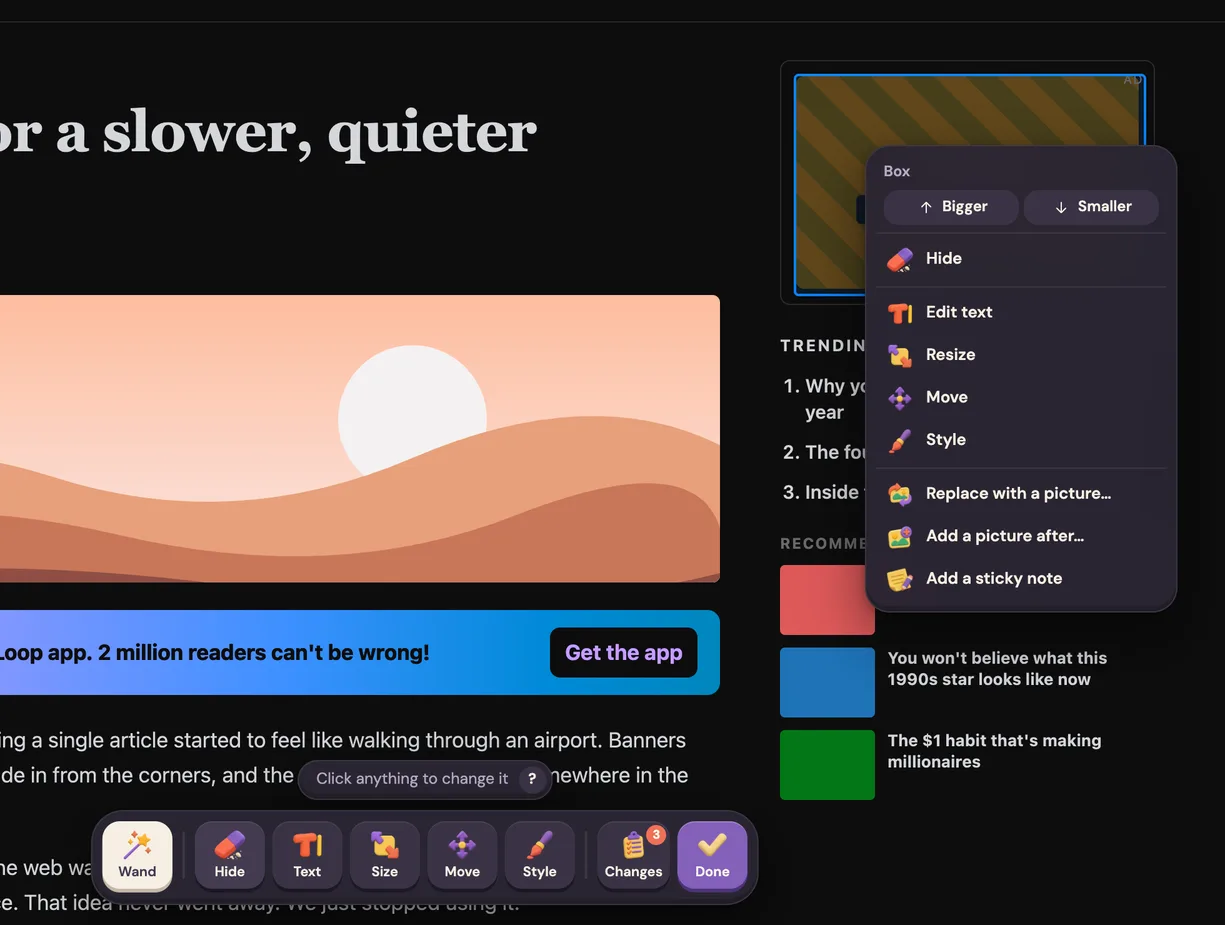
Best if you want Boosts as they were, without switching to a Firefox-based browser. Pagic opens a small floating panel on the page, like Arc's Boost panel. A color pad with two dots tints the page and changes its accent color, the moon turns on dark mode for sites that don't have one, the Aa button picks a font, and Edit page lets you click anything and hide it. If you wrote CSS in your Boosts, Pagic has a Code box that's applied last, so it wins.
I'll be honest about what it doesn't do: Pagic doesn't run custom JavaScript. I left that out on purpose, because an extension that runs arbitrary scripts on your pages is a much bigger security risk, and colors, fonts, zaps and CSS are all there.
Pagic is free for one site at a time, with every tool. Pro covers every site and adds presets: several looks per site, looks that only apply to some pages or only in dark mode, and exporting a look as a file to share.
Zen Browser Boosts
Best if you're happy to switch browsers. Zen added its own Boosts in 2026, with colors, fonts, styles, automatic dark mode and a zap tool, and later versions added Arc import and shareable Boosts. It's a good option. The catch is that Zen is built on Firefox, so if you want to stay on Chrome, or on Dia like The Browser Company suggests, it means a whole new browser.
Stylus
Best if you write CSS. Stylus is free and open source and has been around for years. It manages user styles per site, and you can install styles other people have written. There's no point-and-click though: every change is CSS you write or find.
Tampermonkey or Violentmonkey
Best for the JavaScript Boosts. If a Boost of yours added buttons or changed how a site behaves, a userscript manager is the only real replacement. You'll be rewriting the script, not clicking.
How to move your Arc Boosts to Chrome, step by step
This takes about five minutes per Boost. Do it before December 22, while Arc still opens.
- List your Boosts. In Arc, open each site you boosted and open its Boost from the address bar. Note what it does: a color, a font, zapped elements, code.
- Copy any CSS. If the Boost has code, open the Code tab and copy the CSS into a note. Copy the JavaScript too, if any, for later.
- Install Pagic in Chrome (or Dia, Edge, Brave). Open the same site and click Pagic's icon. Click Customize this site, and the browser asks you to allow that one site.
- Redo the colors. Drag the big dot on the color pad until the background looks right, and the small dot for the accent. Or click the moon for dark mode.
- Redo the font. Click Aa and pick a font. Every font installed on your computer is listed, each shown in its own typeface.
- Redo the zaps. Click Edit page, click the element you used to zap, and choose Hide. If it's one of many (posts in a feed, ads in a sidebar), choose Hide all like this, which also hides the ones the site adds later.
- Paste the CSS. Turn on Code in Pagic's settings and paste the CSS from step 2.
That's it. Next time you open the site, everything is there. Every change is listed under Changes, with a switch to turn it off and Undo, so nothing is permanent if you change your mind.
Does Pagic work in Dia?
Dia is built on Chromium and installs extensions from the Chrome Web Store, so you can add Pagic to Dia the same way you would in Chrome. Pagic needs a Chromium 127 or newer browser, and I test it in Chrome and Helium. If something looks off in Dia, email me at support@pagic.dev and I'll look into it.
What about Boosts you shared or installed from someone else?
Arc's shared Boosts were links that only Arc understood, so they stop working with Arc. If you had one installed, rebuild it the same way as your own (step 1 shows you what it does). In Pagic, a look can be exported as a file and imported by a friend, with its pictures and fonts, which covers the same "here's my YouTube setup" use. That's part of Pro.
Frequently asked questions
Can I export my Arc Boosts? Not as a file Chrome understands. You can copy the CSS and JavaScript from each Boost's Code tab and rebuild colors, fonts and zaps by hand in another tool, which takes a few minutes per site. Does Dia have Boosts? No. Dia imports bookmarks, passwords, history, extensions and spaces from Arc, but not Boosts. A Chrome extension like Pagic or Stylus is the way to keep them in Dia. When does Arc stop working? Arc's desktop apps stop working on December 22, 2026, and new accounts are already closed. Import anything you want to keep before that date. Is there a free Arc Boosts alternative for Chrome? Yes. Pagic is free for one site at a time with every tool, and Stylus is free but needs you to write CSS. Can Pagic run JavaScript like Arc Boosts? No. Pagic changes pages with CSS and its own small script for rewritten text and notes, and never runs code you paste in. For JavaScript Boosts, use a userscript manager like Tampermonkey.